|
1
|
- CyberAgra
- www.cyberagra.com
|
|
2
|
|
|
3
|
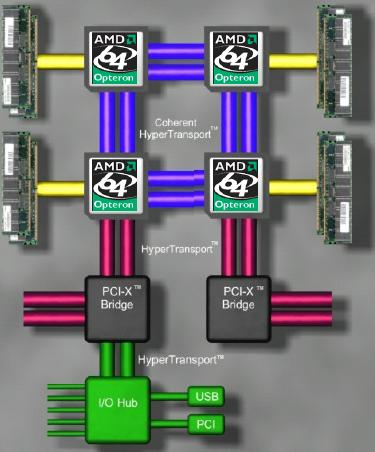
- Single machine peripheral input output:
- 16 Bits * 2 GHz / 8 Bits per Byte = 8 GB/s
- 8000 Mb/s
|
|
4
|
- Local Area Network Ethernet cable or wireless connection:
- 10, 100, 1000 MB/s
|
|
5
|
- Dedicated T1, SDSL, ADSL, Cable, and other connections: 125, 2000 KB/s
|
|
6
|
- Mobile Connections
- 3G: 128-256 KB/s
- Dialup: 28.8-57 KB/s
- GPRS: 28.8 KB/s
- GSM: 14.4 KB/s
|
|
7
|
|
|
8
|
|
|
9
|
- No synchronization needed
|
|
10
|
|
|
11
|
|
|
12
|
|
|
13
|
|
|
14
|
- A set of technologies that:
- Makes information available anytime, anywhere
- Simplifies development and deployment
- How does .NET achieve the above?
- Web services
- ADO.NET DataSets and XML support throughout the platform
- Rich tools, runtime services and XCOPY deployment
|
|
15
|
- Microsoft® .NET framework is a programmable application component
accessible via standard Web protocols
|
|
16
|
|
|
17
|
- Multiple programming languages
- Simplified development
- Rich Web clients and safe Web hosting
- Increased productivity & scalability
|
|
18
|
|
|
19
|
|
|
20
|
- Total Lines of Code:
48,564
- Total Comment Lines:
24,240
- Total Namespaces:
43
- Total Classes:
415
- Total Enums:
141
- Total Methods:
3,609
- Total Properties:
1,833
- Total Events:
448
- Total Interfaces:
21
- Approximate development time: 8.5
man-years
|
|
21
|
|
|
22
|
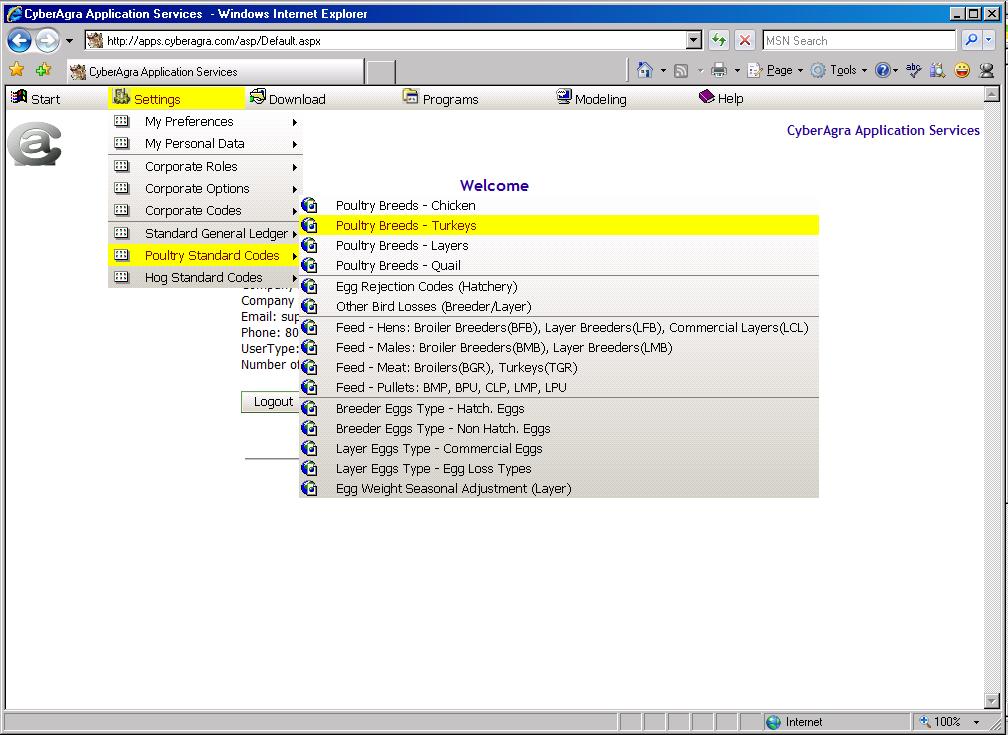
- Poultry Recordkeeping Software, Production Accounting, Customer
Relationship Management (CRM), Sales, Feed Management, Processing Plant
Optimization, Swine Growout, Swine Breeding, and eCommerce software.
|
|
23
|
- Our 4th generation modules have been steadily improving through the
years starting in 1995 with our Windows® desktop versions and in 1997
with our client-server updates. During 2001 all user interfaces were
redesigned as Web active server pages, and in 2004 CyberAgra Application
Services™ was ported to the .NET framework and officially verified for
Microsoft Windows Server 2003™.
|
|
24
|
|
|
25
|
|
|
26
|
|
|
27
|
|
|
28
|
|
|
29
|
|
|
30
|
|
|
31
|
|
|
32
|
|
|
33
|
|
|
34
|
|
|
35
|
|
|
36
|
|
|
37
|
|
|
38
|
|
|
39
|
|
|
40
|
|
|
41
|
|
|
42
|
|
|
43
|
- © 2007 CyberAgra. All rights reserved.
- This presentation is for informational purposes only. CYBERAGRA MAKES NO
WARRANTIES, EXPRESS OR IMPLIED HEREIN. Microsoft, Visual Studio,
Windows, and Windows Mobile are either registered trademarks or
trademarks of Microsoft Corporation in the United States and/or other
countries. The names of actual companies and products mentioned herein
may be the trademarks of their respective owners.
|
|
44
|
|

 Notes
Notes